Audit Details
Overview
Use the Audit Details screen to review one entry from the Audit log. It shows who performed the action, when it was recorded, and, when available, the values before and after the change.
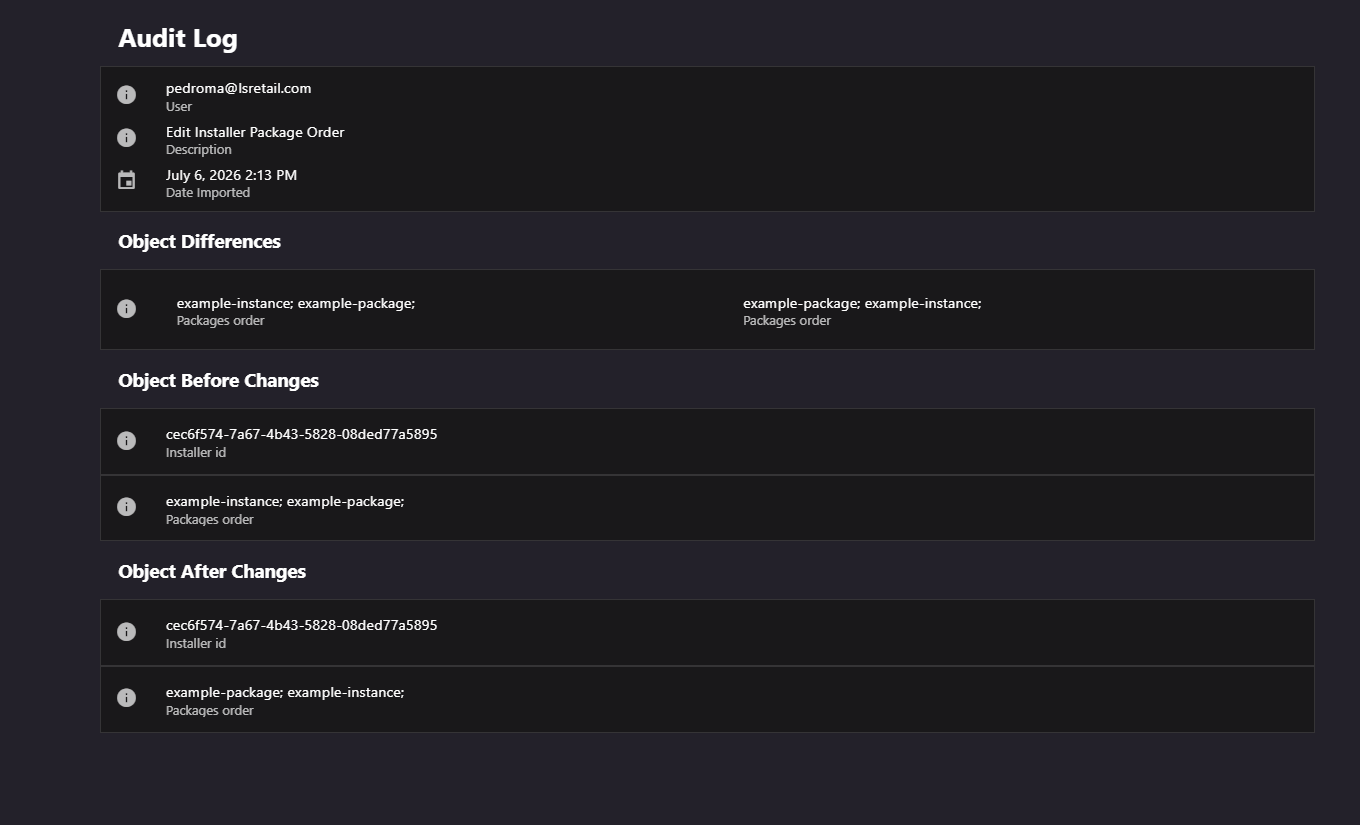
Figure: Interface overview of the Audit Details screen.
Key tasks
- Review the user, action description, and recorded date.
- Compare changed fields when both before and after values are available.
- Review the complete before or after state when available.
Interface elements
| Element / Field Name | Type | Description & Triggered Action |
|---|---|---|
| User | Field (display) | The name of the user who performed the audited action. Only shown if a user is associated with the entry. |
| Description | Field (display) | A textual description of the action that was performed. |
| Date Imported | Field (display) | The date and time the audit entry was recorded, shown in full date/time format. |
| Object Differences | Grid/List | Shown when before and after states are available. Lists changed fields with their previous and new values. |
| Object Before Changes | Grid/List | Shown only when a before state is available. Lists every field and its value as they were before the change. |
| Object After Changes | Grid/List | Shown only when an after state is available. Lists every field and its value as they are after the change. |