Audit
Overview
Use the Audit screen to review changes made on the Update Service server. Entries record the operation, user, and time.
Filter the audit trail by operation type and, when authentication is enabled, by user. Select an entry to open Audit Details. Access depends on the server authentication configuration; see Access and permissions.
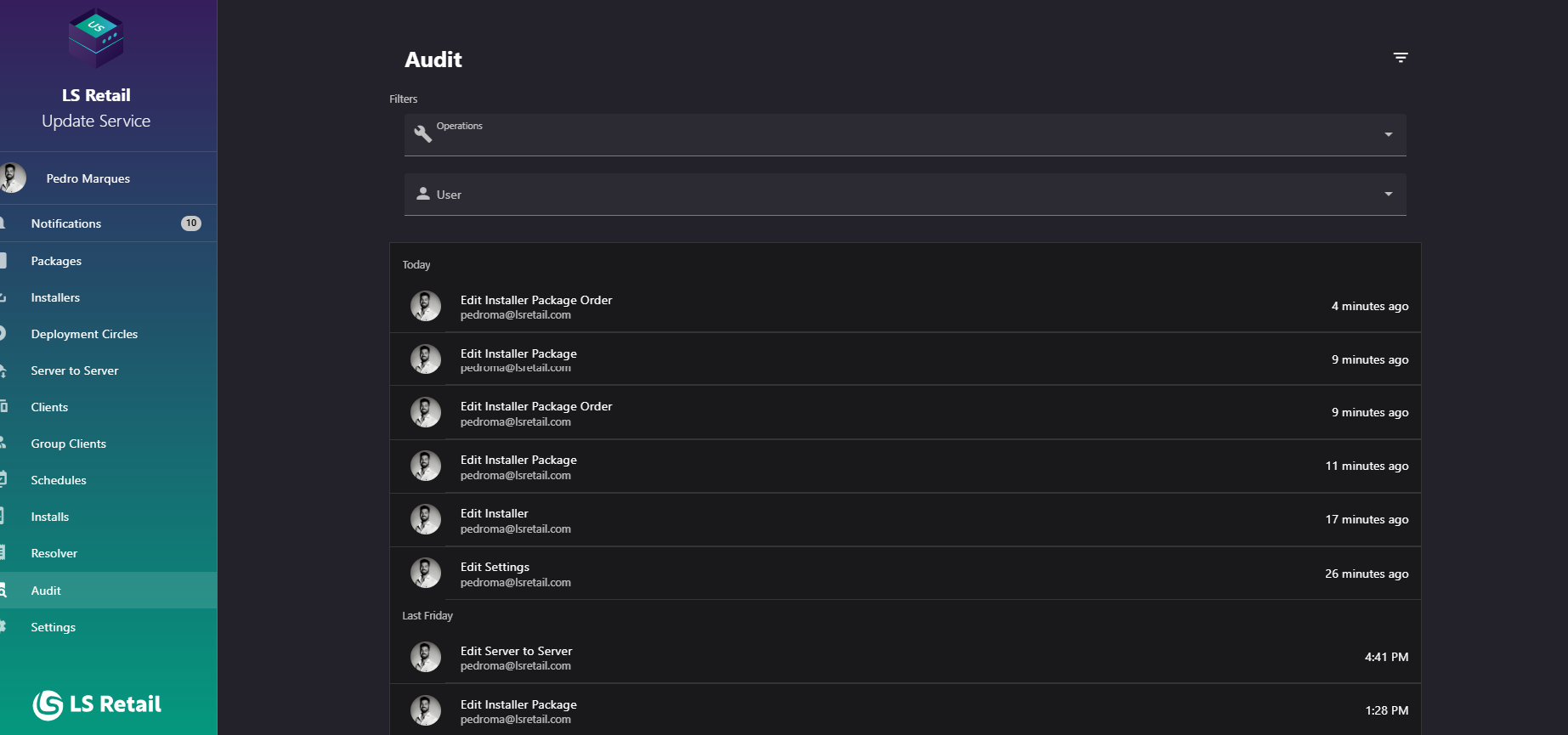
Figure: Interface overview of the Audit screen.
Key tasks
- Review entries grouped by date.
- Use Show Filters to filter by operation type or user.
- Open an entry to compare changed data before and after the operation.
- Bookmark or share a filtered view; the URL includes the page, page size, and active filters.
Interface elements
| Element / Field Name | Type | Description & Triggered Action |
|---|---|---|
| Show Filters | Button | Expands or collapses the Filters panel above the audit list (see Filters below). |
| Audit list item | Grid/List Row | Shows the action, user, and when the action was recorded. Select a row to open Audit Details. |
| Date group header | Grid/List Grouping | Entries are grouped under subheaders showing a relative date (e.g., Today, Yesterday) to make the timeline easier to scan. |
| Pagination controls | Control | Navigates between pages of audit log entries and adjusts the number of entries shown per page. |
Filters
The Filters panel, revealed with the Show Filters action, narrows the audit trail by operation type and by user.
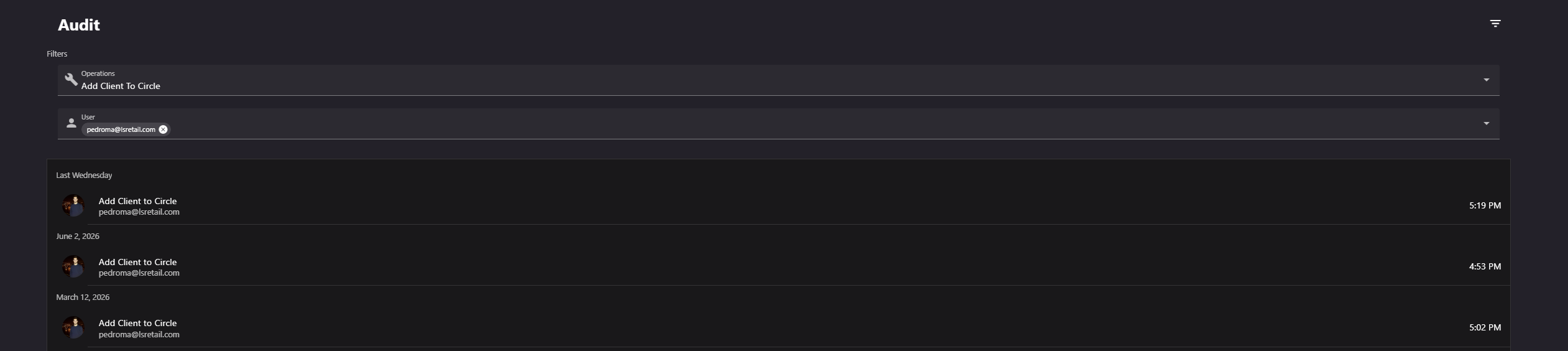
Figure: The Filters panel on the Audit screen.
| Element / Field Name | Type | Description & Triggered Action |
|---|---|---|
| Operations | Field (multi-select) | Filters the audit log to only show entries matching the selected operation type(s). |
| User | Field (selector) | Filters the audit log to only show entries performed by the selected user. Only shown when the server requires authentication. |
Audit List
The audit list shows entries that match the current page, page size, and filters. Changing the operation or user filter returns the list to the first page. Entries are grouped by date and link to Audit Details.