Deployment Circles
Overview
Manage staged package rollouts. Deployment circles assign a package version to groups of clients so you can release a version to a pilot group before broader deployment.
Key tasks
- Find packages that have deployment circles.
- Search by package name or package ID.
- Open a package to manage its circles, members, and versions.
- Create a deployment-circle structure for a package.
- Remove a package deployment-circle structure from its detail page.
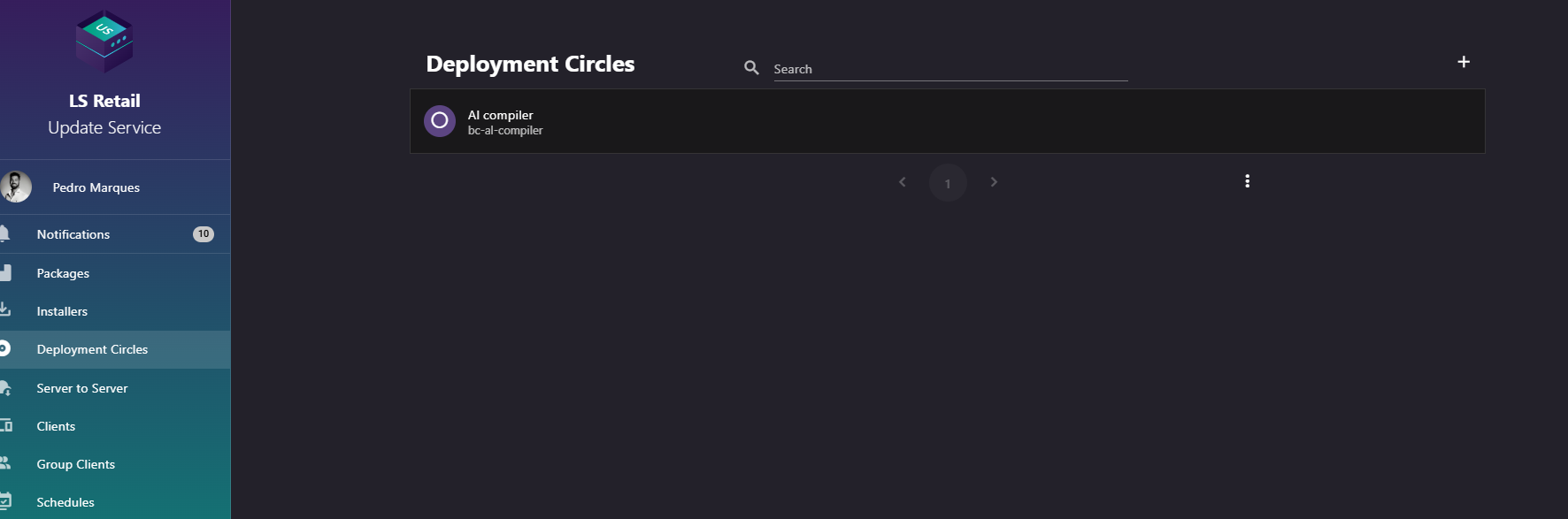
Figure: Deployment Circles screen.
UI reference
| Element / Field Name | Type | Description & Triggered Action |
|---|---|---|
| Search | Field | Free-text search box (with a search icon) used to filter the list of deployment plans by package name or package ID. Supports clearing the search with the built-in clear icon. |
| Add | Button | Opens the New Deployment Circle dialog to start managing deployment circles for a package that does not yet have any. |
| Deployment plan list item | Grid/List Row | Each row displays the package name and package ID, with a circle icon. Clicking a row navigates to the Deployment Circle Detail screen for that package. |
New deployment circle
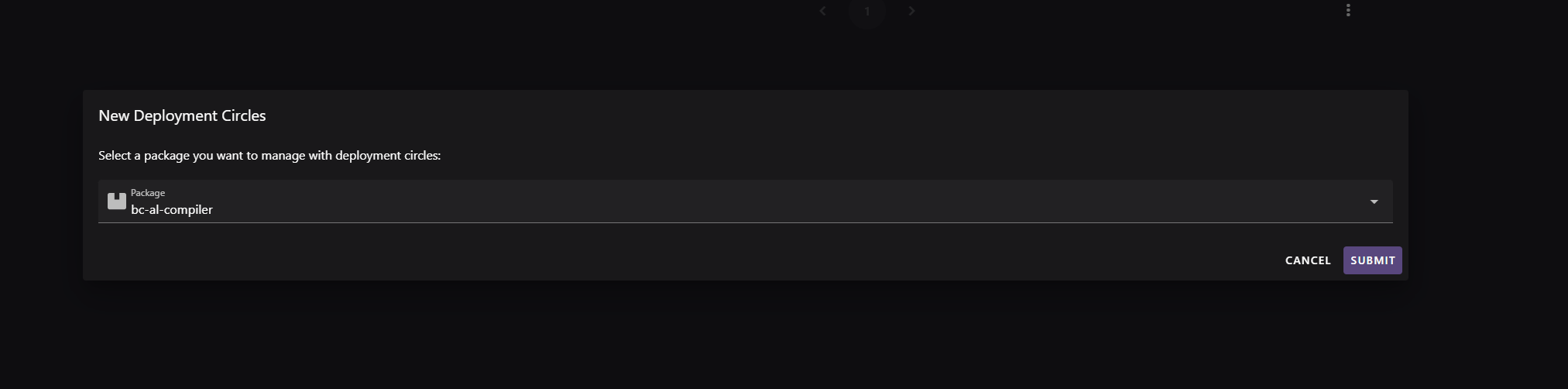
Figure: New deployment circle dialog.
Use this dialog to create the initial, outermost deployment circle for a package. Clients not assigned to an inner circle belong to this circle.
- Select the package to enable deployment circles for using the package selector field. Only a package can be selected — the field is required to submit.
- On submit, the server creates the deployment circle structure for the selected package.
- After a successful submission, the dialog closes and you are taken directly to the Deployment Circle Detail screen for that package to continue configuring circles, members, and versions.
- The dialog can be cancelled at any time without creating anything.
| Element / Field Name | Type | Description & Triggered Action |
|---|---|---|
| Package | Field (selector) | Selects the package for which deployment circles will be enabled. Required. |
| Cancel | Button | Closes the dialog without creating a deployment circle structure. |
| Submit | Button | Creates the deployment circle structure for the selected package and navigates to its Deployment Circle Detail screen. |
Remove deployment circle
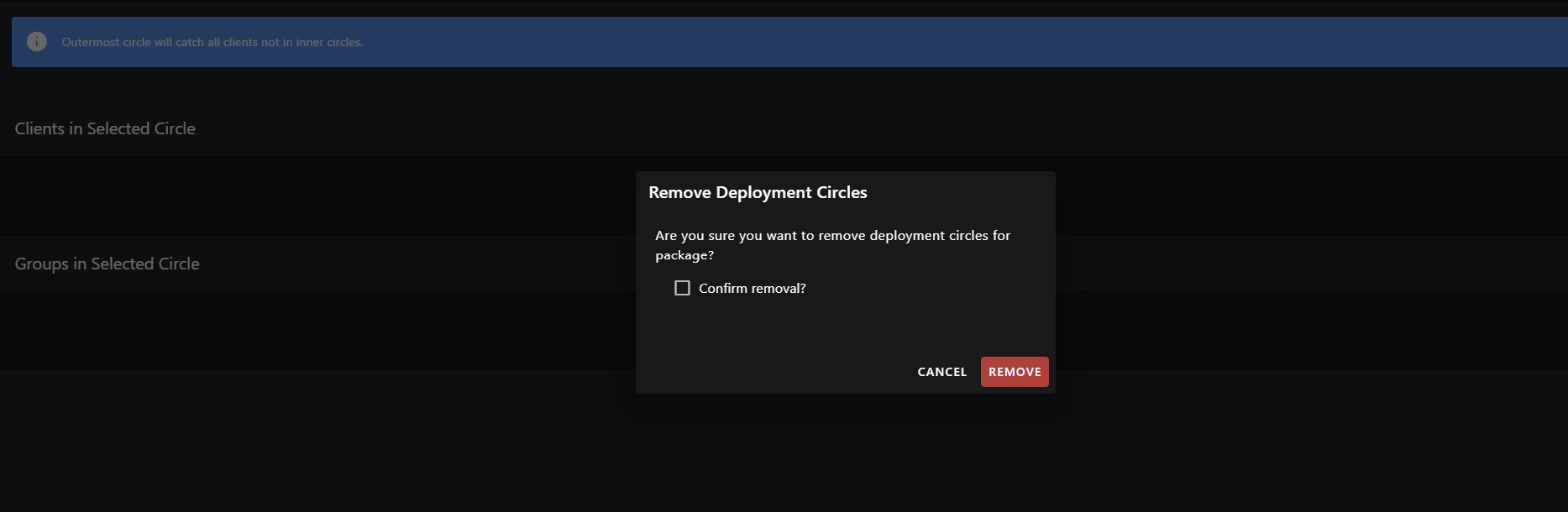
Figure: Remove deployment circle dialog.
Use this dialog from Deployment Circle Detail to remove a package deployment-circle structure and its circles.
- Requires explicit confirmation via a checkbox before the removal can be submitted.
- On confirmation, the deployment circle structure for the package is deleted from the server.
- After a successful removal, you are returned to the Deployment Circles list.
- The dialog can be cancelled at any time, leaving the circle structure untouched.
| Element / Field Name | Type | Description & Triggered Action |
|---|---|---|
| Confirm removal? | Toggle (checkbox) | Must be checked before the Remove action can be submitted. |
| Cancel | Button | Closes the dialog without removing the deployment circle structure. |
| Remove | Button | Permanently deletes the deployment circle structure for the package and returns to the Deployment Circles list. |