Group Clients
Overview
Use the Group Clients screen to manage client groups. A group is a named collection of clients that can share an update schedule. Search for a group, open it to manage members and its schedule, or create a group.
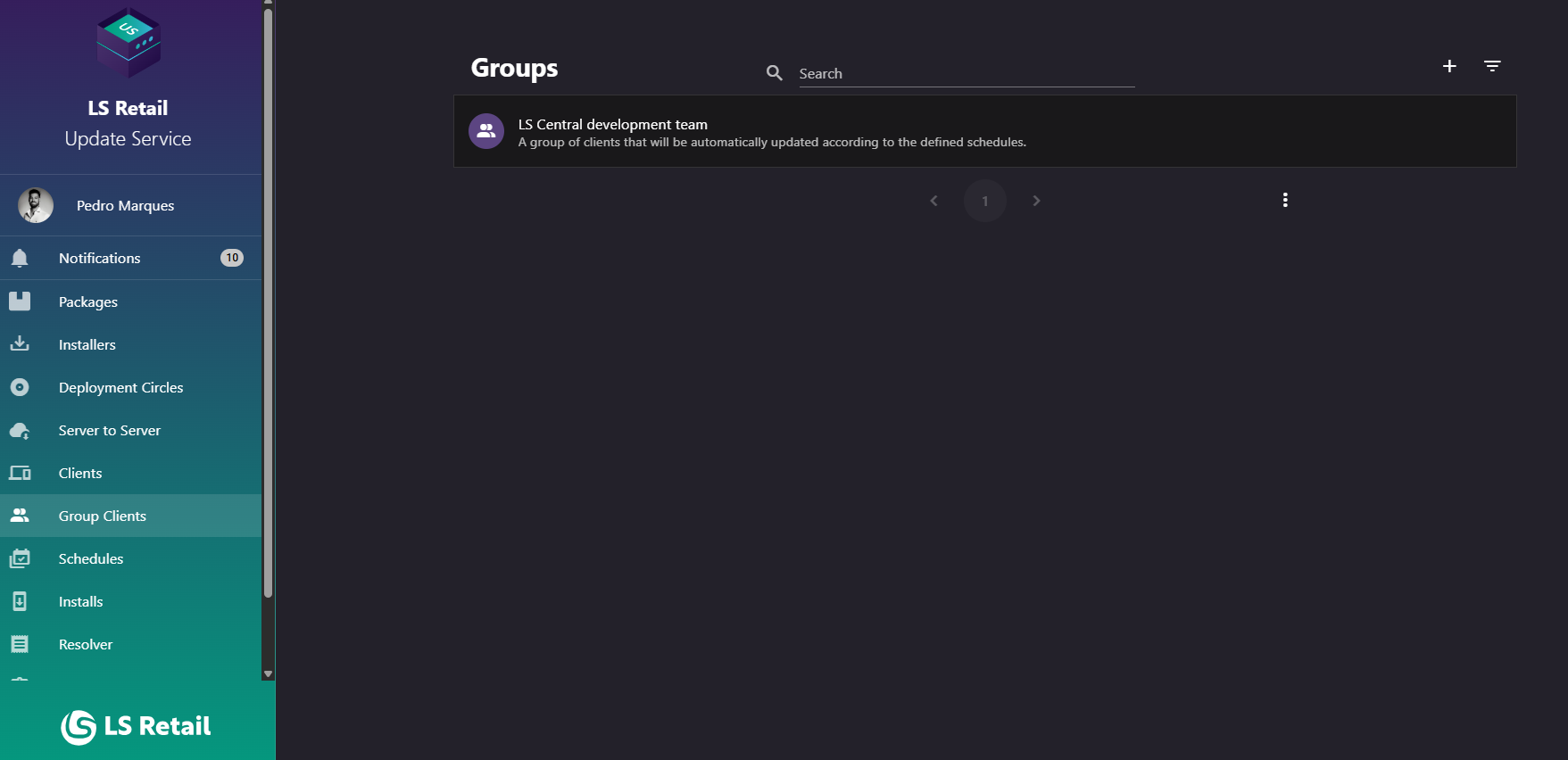
Figure: Interface overview of the Group Clients screen.
Key tasks
- Browse and search groups.
- Open a group to manage its members and schedule.
- Use Add to create a group.
Interface elements
| Element / Field Name | Type | Description & Triggered Action |
|---|---|---|
| Search | Field | Free-text search box (with a search icon) used to filter the group list by name. Supports clearing the search with the built-in clear icon. |
| Add | Button | Opens the Create/Edit Group dialog to register a new group. |
| Filters | Button | Toggles a filter panel with additional filtering options (only available when the list is not shown as a sub-list of another screen). See Filters below. |
| Group list item | Grid/List Row | Each row displays the group's name as the title and its description as the subtitle, with a people icon. Clicking a row navigates to the Group Detail screen for that group. |
Filters
The Filters toggle reveals a panel with additional ways to narrow the group list. It is only available when the list is not shown as a sub-list of another screen.

Figure: The Filters panel on the Group Clients screen.
| Element / Field Name | Type | Description & Triggered Action |
|---|---|---|
| Schedules (filter) | Field | Filters the group list to only groups associated with the selected schedule. |
| Clients (filter) | Field | Filters the group list to only groups that contain the selected client. |
Create or edit a group
Use this dialog to create a group or edit an existing group. Its title is New Group or Edit Group, depending on the action.
- Specify the Name of the group. Required.
- Specify the Description of the group. Required.
- Optionally assign a Schedule to the group, controlling when the group's clients are allowed to receive updates.
- Submitting the dialog creates a new group, or updates the existing one if editing.
| Element / Field Name | Type | Description & Triggered Action |
|---|---|---|
| Name | Field | The display name of the group. Required. |
| Description | Field | A free-text description of the group's purpose. Required. |
| Schedule | Field | Selects an existing Schedule to associate with the group, controlling when its clients receive updates. Optional. |
| Cancel | Button | Closes the dialog without saving changes. |
| Submit | Button | Saves the group (creates it if new, or updates it if editing) and closes the dialog. |