Configure server security and authentication
Configure Microsoft Entra ID authentication, administrator access, and client authentication from Settings.
Before you begin
- Ensure that you can access Settings. After you require administrator access, you must be an Administrator to return.
- Have the Microsoft Entra ID app registration Client ID, Secret, and Authority Endpoint.
- Plan to restart the server after saving the settings.
Important
Before enabling Require Administrator Role on Server, confirm that your account has the Administrator role. Otherwise, you can lose access to the management interface.
Configure authentication
Open Settings, and locate Security.
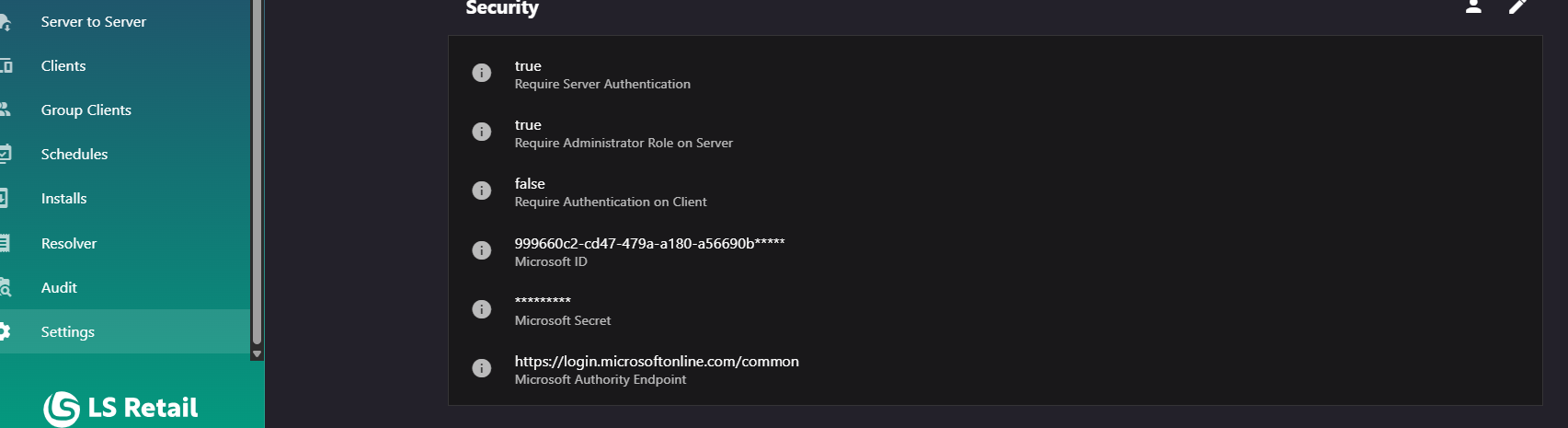
Select Edit Security Settings to open the Edit Security Settings dialog.
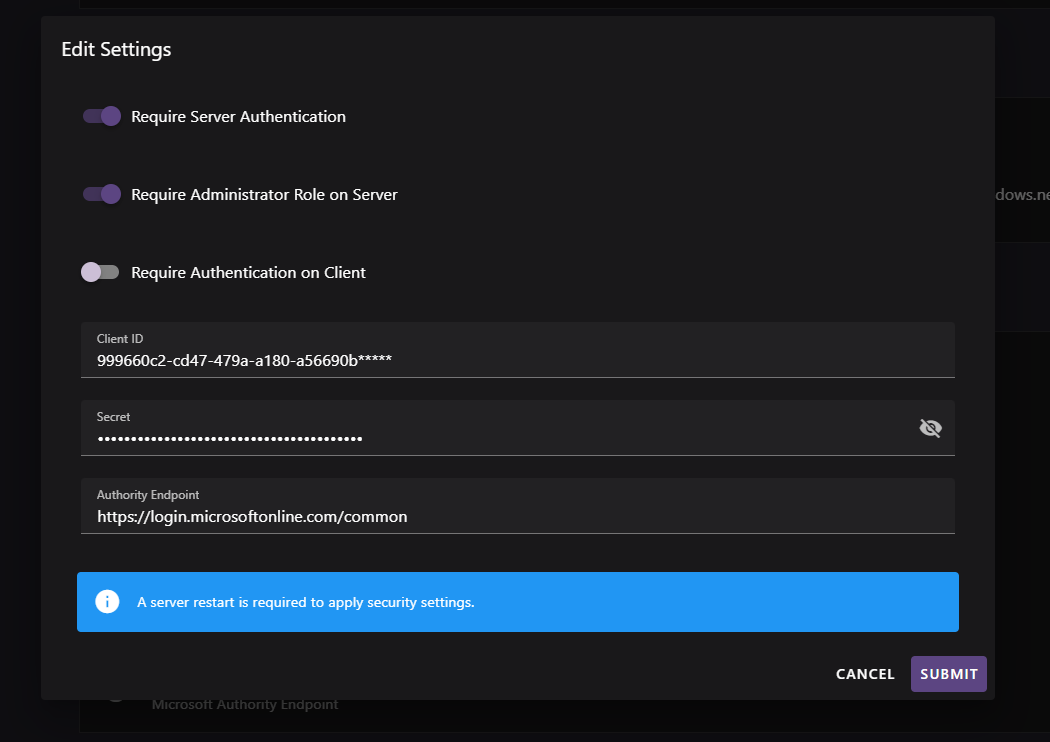
Select Require Server Authentication. Enter the Client ID, Secret, and Authority Endpoint for the Microsoft Entra ID app registration.
If only administrators should access the management interface, select Require Administrator Role on Server.
If client machines must authenticate before installing packages, select Require Authentication on Client. Submit the dialog.
Restart the server, then verify sign-in and role behavior. When authentication is enabled, confirm that the Users page is available from the Security section.
Azure App Service
Important
On Azure App Service, configure these settings through App Service application settings and restart the app. The in-app editor might accept changes without persisting them.
Security behavior
- Require Server Authentication controls whether users must sign in. Require Administrator Role on Server controls whether only Administrators can use the interface. The administrator option is available only when server authentication is required.
- Require Authentication on Client applies to client package installation separately from management interface sign-in. See Access and permissions.
- The Secret is masked in Settings. Protect and rotate it as you would any application secret.
- For scripted access to an authenticated server, use personal access tokens rather than an interactive user password.