Client Detail
Overview
Use the Client Detail screen to review a client’s identity, activity, install history, group memberships, and deployment-circle assignments. Select a client from Clients to open this page.
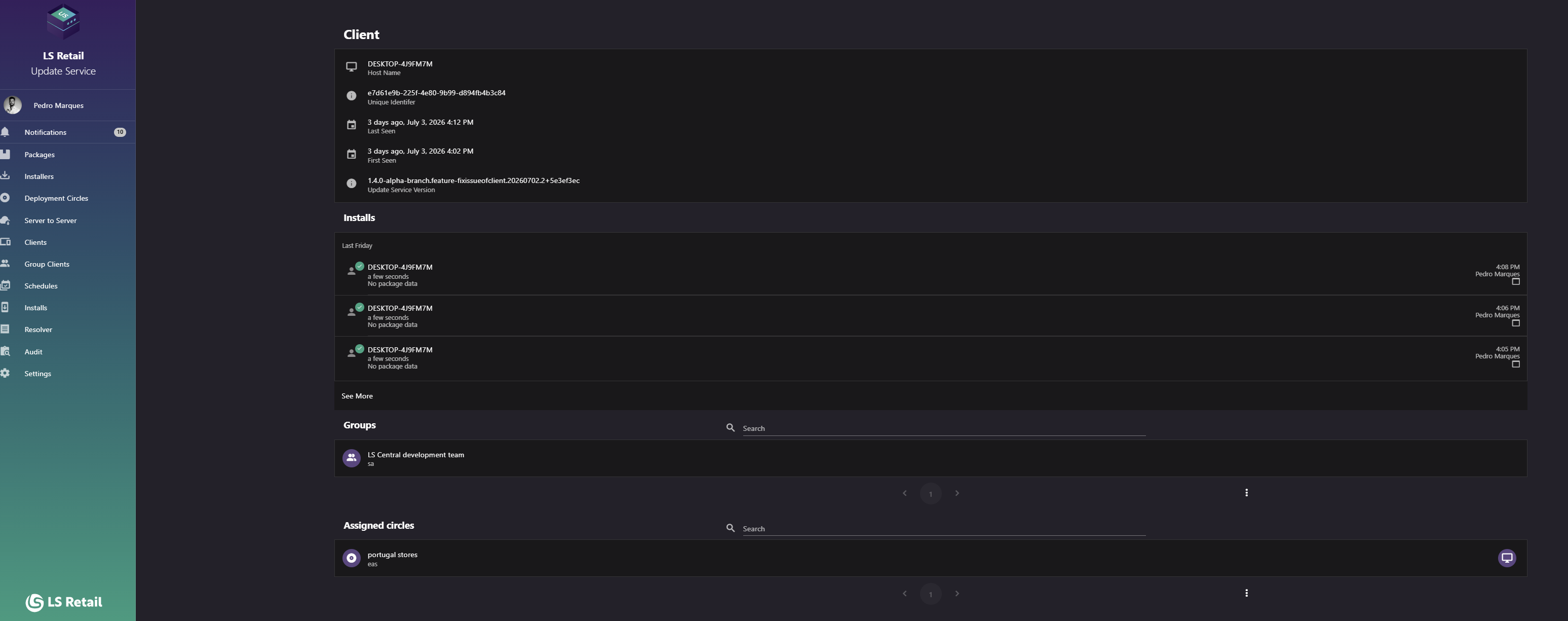
Figure: Client Detail screen.
Key tasks
- Review client identity, registration, and last-seen information.
- Review recent installs or open Installs filtered to this client.
- Review group and deployment-circle membership, including direct and inherited assignments.
Interface elements
| Element / Field Name | Type | Description & Triggered Action |
|---|---|---|
| Host Name | Field (read-only display) | The client machine's host name. |
| Unique Identifier | Field (read-only display) | The client's unique identifier (GUID) assigned by the server. |
| Last Seen | Field (read-only display) | Relative and absolute date/time of the client's most recent check-in with the server. |
| First Seen | Field (read-only display) | Relative and absolute date/time of the client's first registration with the server. |
| Update Service Version | Field (read-only display) | The version of the Update Service client software installed on the machine. |
| Installs section | Section | Shows the client's most recent install events (see Install Detail for what each entry represents). |
| See More | Link | Navigates to the Installs list, pre-filtered to show only installs for this client. |
| Groups section | Section | Lists the groups this client is a member of. |
Client circles
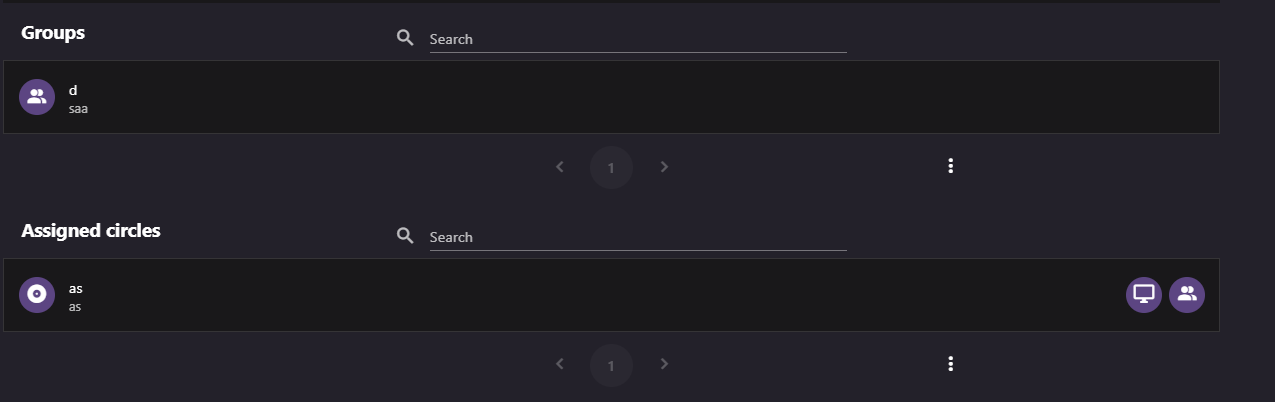
Figure: Deployment-circle and group information.
Lists deployment circles assigned directly to the client or inherited through group membership.
| Element / Field Name | Type | Description & Triggered Action |
|---|---|---|
| Search | Field | Filters assigned circles by name or description. |
| Circle list item | Grid/List Row | Each row shows the circle's name (title) and description (subtitle), with a direct-membership icon when the client is assigned to the circle directly and a group-membership icon (hover lists the group name(s)) when membership is inherited through one or more groups. Clicking the row navigates to the circle's detail page. |